
-
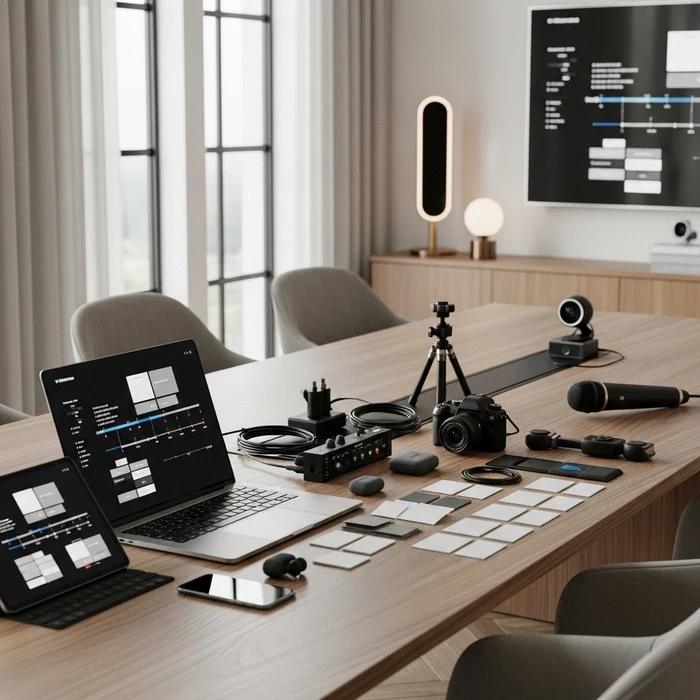
Your Riyadh keynote starts in four hours. The livestream director in your ear asks for the final cue sheet. Your stage manager needs the minute-by-minute agenda. Your AV vendor wants confirmed camera positions. And your run of show lives in three separate email threads, none of them final. This is the exact failure point where most KSA hybrid conferences break down—not in strategy, but in operational coordination between the physical room and the digital stream.
This guide gives your team a production-ready hybrid conference run of show template built for the realities of Saudi Arabia's corporate event landscape. Copy it. Adapt it. Run your next conference without a single missed cue.
What Is a Run of Show for a Hybrid Conference and Why Does It Matter?
A run of show for a hybrid conference is the single master document that synchronizes every in-room and livestream action, from speaker entrances to camera cuts to virtual Q&A windows. Without it, your on-site and remote experiences diverge, and audience engagement collapses on at least one side.
How It Differs from a Standard Event Agenda
A standard agenda lists session titles and times. A run of show hybrid event document goes far deeper. It includes producer cues, camera shot sequences, audio source changes, VT rolls, graphic triggers, and transition blocks. Think of the agenda as the "what." The run of show is the "how, when, and who."
Why KSA Corporate Teams Need a Dedicated Version
Saudi Arabia's hybrid conference market has matured rapidly as large-scale corporate events have become more sophisticated in Riyadh, Jeddah, and across the Kingdom. Venues may offer strong in-house AV, but that alone does not guarantee a smooth hybrid experience. You still need a KSA conference production plan that reflects local realities such as bilingual audiences, VIP arrivals, prayer-time scheduling, and the operational handoff between room and stream.
For more background on regional execution, see hybrid corporate conferences in Saudi Arabia and this guide to hybrid corporate event planning.
What Should a Production-Ready Hybrid Conference Cue Sheet Include?
A complete hybrid conference cue sheet maps every moment of your event across a clear set of columns: time, segment, on-stage action, stream action, AV cue, responsible role, and notes. This structure prevents assumptions and keeps production, event, and speaker teams aligned.
Core Elements to Include
Your event show flow template should always include:
Exact time
Session or segment name
Room action
Stream action
AV or production cue
Assigned owner
Notes, risks, or backup instructions
You can also add columns for:
Slide operator cues
Lower thirds
Speaker arrival status
Holding slides
Sponsor deliverables
Interpretation or bilingual support









Hybrid Conference Run of Show Template
Below is a practical hybrid conference run of show template your team can copy into Google Sheets, Excel, or your production document.
Time: 08:00
Segment: Doors Open / Registration
On-Stage Action: Registration opens, foyer screens on
Stream Action: Holding slide live, background music
AV Cue: House audio on, signage screens active
Owner: Event Manager
Notes: Confirm help desk staffed
Time: 08:30
Segment: Final Tech Check
On-Stage Action: Stage cleared, presenters on standby
Stream Action: Countdown slate not yet live
AV Cue: Final audio checks, clicker test, slide confidence monitor test
Owner: AV Lead
Notes: Confirm backup laptop connected
Time: 08:45
Segment: Speaker Line-Up
On-Stage Action: MC and keynote in green room
Stream Action: Stream still on holding slide
AV Cue: Mic packs fitted, last soundcheck
Owner: Speaker Liaison
Notes: 5-minute warning protocol begins
Time: 09:00
Segment: Opening Sequence
On-Stage Action: MC walks on stage
Stream Action: Stream goes live with branded opener
AV Cue: Cue opening music, lights to stage wash, lower thirds ready
Owner: Producer / Stage Manager
Notes: Trigger intro VT
Time: 09:05
Segment: Welcome Remarks
On-Stage Action: MC welcomes room audience
Stream Action: Camera 1 on MC, stream live
AV Cue: Lower third for MC, room and stream audio synced
Owner: Stream Director
Notes: Confirm chat moderation live
Time: 09:15
Segment: Keynote 1
On-Stage Action: Speaker A takes stage
Stream Action: Camera 2 close-up, slides picture-in-picture
AV Cue: Clicker active, lav mic unmuted
Owner: AV Lead
Notes: Backup keynote file loaded
Time: 09:40
Segment: Live Q&A
On-Stage Action: Moderator takes questions from room
Stream Action: Online Q&A overlay added
AV Cue: Open floor mic, mix virtual audio feed
Owner: Producer
Notes: Moderator balances room + virtual questions
Time: 09:55
Segment: Transition Block
On-Stage Action: Speaker exits, stage reset
Stream Action: Holding slide and sponsor loop
AV Cue: Play walk-on music, mute unused mics
Owner: Stage Manager
Notes: 5-minute reset buffer
Time: 10:00
Segment: Panel Discussion
On-Stage Action: Panelists seated, moderator intro
Stream Action: Multi-camera panel coverage
AV Cue: Panel mics live, lower thirds for each panelist
Owner: Stream Director / AV Lead
Notes: Seating order pre-confirmed
Time: 10:45
Segment: Coffee Break
On-Stage Action: Guests move to networking area
Stream Action: “Back shortly” slate on stream
AV Cue: House lights up, foyer music on
Owner: Event Manager
Notes: Keep stream active with countdown
Time: 11:05
Segment: Sponsored Segment / VT
On-Stage Action: Minimal stage movement
Stream Action: Play sponsor or pre-recorded segment
AV Cue: Cue VT rolls
Owner: Producer
Notes: Useful buffer if previous session overruns
Time: 11:15
Segment: Keynote 2
On-Stage Action: Speaker B enters from stage right
Stream Action: Live camera cut, slides integrated
AV Cue: Lighting preset B, handheld backup mic ready
Owner: Stage Manager
Notes: Confirm speaker timing from green room
Time: 11:45
Segment: Fireside Chat
On-Stage Action: Two chairs set, moderator joins
Stream Action: Two-shot framing for stream
AV Cue: Reposition mics, confidence monitor off if unused
Owner: AV Lead
Notes: Check remote guest audio if hybrid speaker joins
Time: 12:15
Segment: Closing Sequence
On-Stage Action: MC returns, closing remarks
Stream Action: Closing slate prepared
AV Cue: Sponsor thanks graphic, music under close
Owner: Producer
Notes: Announce lunch / networking
Time: 12:25
Segment: Stream End
On-Stage Action: Room may continue informally
Stream Action: Stream ends cleanly
AV Cue: Fade out music, end broadcast
Owner: Stream Director
Notes: No abrupt cut
Time: 12:30
Segment: Post-Event Reset
On-Stage Action: Venue team resets room
Stream Action: Recording archived
AV Cue: Save session files, collect mics
Owner: Event Manager / AV Lead
Notes: Confirm content backup
How to Adapt the Template for Live Audience + Livestream Coordination
A hybrid event is not just an in-person event with a camera in the back of the room. Your hybrid event timeline must be designed for two audiences at once.
Think in Dual Experiences
For every agenda item, ask:
What does the room audience see and hear?
What does the online audience see and hear?
Who is responsible for the handoff between room and stream?
For example, during a coffee break, the room audience may leave for networking, but the virtual audience still needs a polished experience. That usually means a break slide, countdown timer, music bed, and possibly sponsor messages or backup content.
Build Transition Blocks Into the Schedule
One of the biggest mistakes in a production schedule hybrid conference is planning sessions back-to-back with no buffer. Hybrid conferences need transition time for:
Camera repositioning
Mic swaps
Stage furniture changes
Graphics updates
Speaker walk-ons
Stream overlays
Re-briefing moderators
A good rule for KSA corporate conferences is to allow at least 3 to 5 minutes between major content blocks and 10 minutes between formats, such as keynote to panel.
For a deeper operational view, this article on hybrid event run of show is a useful companion.
Roles and Responsibilities: Who Owns What?
A template works only if each cue has a clear owner. For most KSA conference teams, these are the essential roles.
Event Manager
Owns the full event flow, venue coordination, registration, catering, guest journey, and stakeholder communication.
Producer
Owns the master show flow, calls cues, manages timing, and decides when to trigger openers, VT rolls, lower thirds, and contingency content.
Stage Manager
Owns all physical stage movement: speaker entrances, exits, seating resets, prop placement, and communication from backstage.
AV Lead
Owns sound, screens, presentation playback, clickers, audio checks, lighting presets, and technical signal flow in the venue.
Stream Director
Owns the digital experience: camera switching, feed quality, overlays, stream start/end, recording, and online audience continuity.
Speaker Liaison
Owns speaker readiness, green room timing, presentation collection, mic fitting, and last-minute briefing.
Moderator / Q&A Lead
Owns audience engagement across both channels and ensures questions from the room and online participants are balanced fairly.
Rehearsal Timing: What to Schedule and When
If you want your speaker cues hybrid conference to land smoothly, rehearsal is not optional.
Day-Before Tech Rehearsal
Schedule a full tech rehearsal the day before the event whenever possible. This should include:
Full slide deck review
Camera framing for each presenter
Lighting test by stage position
Playback test for videos and openers
Confidence monitor check
Internet and encoder test
Virtual platform login test
Backup laptop verification
Lower third spelling and title review
If your event includes accessibility requirements or multinational participants, it is also worth reviewing accessible meeting guidance and relevant AV standards.
Event-Day Rehearsal Schedule Template
Here is a simple rehearsal schedule template for event day:
T-180 min: Crew call, power-on, internet test
T-150 min: Full stage and screen check
T-120 min: Presenter deck load-in and playback test
T-90 min: MC rehearsal and opening sequence run
T-75 min: Keynote speaker mic and stage walk
T-60 min: Panel mic check and seating confirmation
T-45 min: Stream countdown setup and recording check
T-30 min: Final green room briefing
T-15 min: All comms check, doors open
T-05 min: Final go/no-go confirmation
For busy Riyadh and Jeddah venues, this discipline matters even more because ballroom turnover times can be tight and shared loading access may affect setup.
Technical Checks You Should Never Skip
Technical quality shapes audience confidence. Even strong content can feel weak if the hybrid delivery is inconsistent.
Audio
Audio is usually the first thing that fails and the first thing audiences notice. Test:
Lavaliers and handhelds
Panel table mics
Video playback audio
Virtual guest return feed
Stream output levels
Room reinforcement without feedback
Video and Camera Shots
Your camera shots should be planned, not improvised. At minimum, define:
Wide room shot
Speaker close-up
Two-shot for fireside chats
Panel master shot
Audience reaction shot if appropriate
Slides full screen
Picture-in-picture layout
Graphics and Lower Thirds
Prepare:
Opening slate
Break slate
Speaker name graphics
Sponsor graphics
Closing screen
Emergency backup slides
Internet and Streaming
For hybrid conferences in KSA, especially in larger hotels or convention venues, always confirm:
Dedicated bandwidth
Hardwired connection for stream
Backup connectivity
Platform access from venue network
Recording settings
Streaming delay expectations
This is where having the right venue matters. Flaash.ae helps companies find and book corporate event venues across Saudi Arabia, the UAE, and Qatar, and can help teams shortlist spaces suitable for hybrid formats with strong technical potential.
You can also review this guide on hybrid event technology stack when planning your setup.
Speaker Management for Smoother Delivery
Speaker experience has a direct impact on production quality. A nervous or confused speaker creates timing issues for everyone.
Best Practices for Speaker Prep
Before the event:
Collect final slides with a cut-off deadline
Standardize aspect ratio and video format
Confirm pronunciation of names and titles
Ask if speakers need notes monitor support
Confirm whether they will take Q&A
On event day:
Bring speakers to the venue early
Fit mics at least 20 minutes before stage time
Review walk-on direction
Show where timer and confidence monitor sit
Explain question handoff procedure
Remind them where to stand for optimal framing and audio pickup
For hybrid formats, tell speakers clearly whether they should look at the room audience, the camera, or the moderator at specific moments. That one instruction often improves stream engagement significantly.
Contingency Planning: Your Backup Plan Matters
Hybrid events are more resilient when fallback scenarios are written directly into the run of show.
Include These Contingencies
1. Speaker Delay or No-Show
Prepare a backup moderator segment, sponsor VT, or recorded version of the keynote.
2. Internet Failure
Use a redundant internet line or bonded cellular backup. Define who switches and how long the buffer content should run.
3. Slide Playback Problem
Have decks stored on:
Primary presentation laptop
Backup laptop
Shared cloud folder
USB drive with AV lead
4. Mic Failure
Keep spare handheld and spare lavalier ready at stage side.
5. Timing Overrun
Mark which segments can shrink without damaging the agenda. Breaks and moderated Q&A are often the easiest pressure-release points.
6. Stream-Only Issue
If the room experience is unaffected but the stream has a problem, run a branded holding slide and use pre-approved messaging while the issue is corrected.
A smart KSA conference production plan assumes that one major thing may go wrong and ensures the audience barely notices.
How to Measure If Your Run of Show Worked
After the event, evaluate more than attendance. Review execution quality.
Track:
Start-time accuracy
Session overrun frequency
Number of technical interruptions
Q&A participation across room and stream
Average watch time online
Speaker punctuality
Audience drop-off points
Team feedback on role clarity
This connects directly to hybrid event ROI. For more on post-event measurement, read hybrid event KPIs.
Conclusion
A strong hybrid conference run of show template gives KSA teams control, clarity, and a better audience experience across both the room and the stream. It turns a complex conference into a sequence of owned actions: who does what, when, and how. That is what keeps speakers calm, crews aligned, and audiences engaged.
If your team is planning a hybrid conference in Riyadh, Jeddah, or elsewhere in Saudi Arabia, the venue decision is just as important as the show flow. Flaash.ae helps companies find and book corporate event venues across the Middle East, including Saudi Arabia, the UAE, and Qatar. The service is free for users, supports corporate events only, and delivers 3 to 5 turnkey venue proposals within 24–48 hours. If you need a venue that can support your hybrid production plan, Flaash is a practical place to start.
For broader industry planning support, you can also explore resources from MPI.
FAQ: hybrid conference run of show template
What is a hybrid conference run of show template?
A production-focused timeline that coordinates in-room and virtual elements, including speaker cues, AV switches, streaming windows, Q&A, and transitions, so both on-site and remote attendees get a synchronized experience.
What key sections should a hybrid conference run of show template include?
Include session times and durations, speaker names and mic type, AV and streaming cues, camera shots, slide and video timing, virtual host prompts, audience interaction windows, contingency notes, and an assigned owner for each line item.
How should I adapt a run of show template for KSA corporate events?
Localize the document for Arabic and English use, schedule around prayer times and local holidays, confirm venue internet and regulatory requirements, use KSA time zone, and work with local vendors familiar with regional practices.
Who must be assigned responsibilities in the template?
Assign clear owners such as the Event Producer, Stage Manager, AV or Video Lead, Live-Streaming Operator, Virtual Host or Moderator, Speaker Liaison, and Onsite Logistics lead, plus escalation contacts and communication channels.
When should the hybrid conference run of show be finalized and rehearsed?
Finalize it 2 to 3 weeks before the event. Run technical rehearsals 3 to 7 days before and a full dry run 24 to 48 hours before showtime to validate stream quality, cues, slides, and remote participation flow.
What file format and workflow work best for live updates during the event?
A live shared Google Sheet works well for real-time updates, supported by a locked PDF for official reference, a time-stamped change log, and an offline backup in case connectivity fails.


Recent Posts


Load More Blogs