
-
You ran a flawless hybrid product launch in Dubai last quarter. Speakers delivered. Streaming was seamless. Attendance numbers looked strong. Then leadership asked one question: “What was the return?” Silence.
This is one of the most common reporting gaps for corporate event teams across the UAE, Saudi Arabia, and Qatar. The event itself may succeed, but the reporting setup often does not. Without a structured event ROI dashboard, every post-event review becomes a subjective discussion instead of a data-led business conversation.
This guide is built for event project managers, marketers, office managers, HR and communications teams, and operations leads who need to move from scattered spreadsheets to a practical reporting system. We cover the essential event data sources, the right event data model, CRM and marketing automation inputs, attendance and engagement tracking, setup steps, governance, and the reporting rhythm that keeps your dashboard useful over time.
Why a Hybrid Event ROI Dashboard Matters
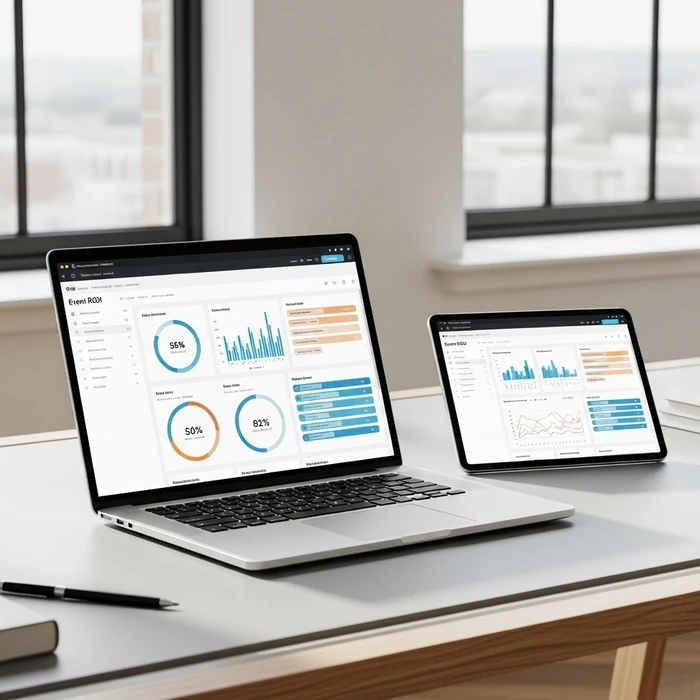
A strong event ROI dashboard brings together data from in-person and virtual event channels into one clear reporting view. That gives teams a reliable way to measure attendance quality, engagement, pipeline impact, and commercial outcomes.
Hybrid events generate more complexity than single-format events. You may have physical attendees at a venue in Dubai, Abu Dhabi, Riyadh, Jeddah, or Doha, while online participants join via webinar or streaming platforms from across the region. If your data stays split between tools, you cannot create accurate event KPI reporting.
A dashboard solves that problem by creating one reporting layer for:
Registrations
Attendance
Session engagement
Lead capture
Sales follow-up
Opportunity creation
Revenue influence
Cost and ROI
If your team is already reviewing hybrid event ROI, the next step is building the dashboard that makes this measurement repeatable.
What an Event ROI Dashboard Should Actually Show
An effective event reporting dashboard should help stakeholders answer business questions quickly, not just display vanity metrics.
At minimum, your dashboard should show:
Total registrations by channel
In-person vs virtual attendance rates
Session-level engagement
Meetings booked
Qualified leads generated
Pipeline influenced or created
Revenue associated with the event
Total cost
Cost per attendee, lead, and opportunity
Follow-up status by team
For senior leaders, the priority is business impact. For marketing teams, campaign performance matters more. For event managers, operational and attendance data are essential. For that reason, the best BI dashboard for events is not one giant report. It is a set of views built on the same source data.










Which Event Data Sources Should Feed the Dashboard?
The quality of your dashboard depends entirely on the quality of your event data sources. Most hybrid event teams work across several systems, and each system contributes a different part of the ROI picture.
1. Registration and Event Platform Data
Your event registration platform is usually the first source. It captures:
Registrant name
Company
Job title
Email
Ticket or access type
Registration date
Attendance preference
Session selections
This is often where your first-party event record starts. If you are using event tools for hybrid registration, keep field naming consistent across events so your reporting stays comparable.
2. Badge Scan Data and On-Site Check-In
For in-person events, badge scan data is essential. It helps validate actual attendance and can also show:
Check-in time
Session entry
Booth visits
Sponsor interactions
Networking participation
This is especially important for events in large corporate venues where attendance quality matters more than registration volume.
3. Streaming and Virtual Engagement Data
Your hybrid event analytics dashboard should include virtual engagement signals such as:
Live join rate
Total watch time
Session attendance
Poll responses
Q&A activity
Chat participation
Content downloads
These often come from streaming analytics tools and webinar attendance logs. They are critical when proving that virtual attendees were not passive viewers but active participants.
4. CRM Data
Your CRM is where commercial value becomes visible. Good CRM event reporting depends on capturing and syncing:
Lead or contact ID
Account name
Lead source
Event campaign association
Campaign member status
Sales owner
Opportunity stage
Revenue amount
Close date
Opportunity association
Without this CRM layer, your dashboard may report activity but not return.
5. Marketing Automation Data
Your marketing platform helps connect pre-event and post-event activity. Good marketing automation event tracking should include:
Invite sends
Open rates
Click rates
Landing page conversions
Reminder email engagement
Post-event nurture engagement
Content follow-up interactions
This adds the campaign context around the event and helps explain which registrants were warm, engaged, and ready for sales follow-up.
6. Cost and Finance Data
To measure ROI, you need cost inputs. Include:
Venue cost
Catering
AV and production
Streaming platform fees
Speaker and travel costs
Staffing
Branding and printing
Paid media
Agency or freelance support
In the Middle East, regional teams should also factor in procurement structure, vendor consolidation, and taxes where applicable, especially when comparing events across markets like UAE, Saudi Arabia, and Qatar.
How to Build the Right Event Data Model
A practical event data model links all event touchpoints back to a person, account, campaign, and revenue outcome. This is what turns disconnected exports into a true single source of truth events setup.
Start With the Core Objects
A simple model usually includes:
Event
Session
Contact or Lead
Company or Account
Campaign
Opportunity
The contact record should act as the central anchor. Every registration, scan, stream login, and follow-up interaction should resolve to that one profile.
Standardize Key CRM Fields
Your CRM fields should include event-specific structure so teams can report consistently. For example:
Event name
Event format
Attendance type
Registration source
Event status
Engagement score
Meeting requested
Sales follow-up status
Consistent fields create consistent reporting.
Define Campaign Member Status Clearly
Many reporting issues start here. If campaign member status values are inconsistent, your dashboard becomes unreliable.
A simple status framework might be:
Invited
Registered
Attended In Person
Attended Virtual
Engaged
Meeting Booked
Opportunity Created
Closed Won
This structure makes event KPI reporting much easier and supports cleaner attribution.
Plan for Identity Resolution
Hybrid events often create duplicate records. Someone may register with one email, join the webinar with another, and get scanned on-site with a slightly different name. That is why identity resolution matters.
Your process should include:
Email matching rules
Company/domain matching
Name normalization
Duplicate flagging
Merge review process
This is part of data hygiene, and it has a major impact on ROI accuracy.
Build a Data Dictionary
A data dictionary should document:
Field name
Definition
Source system
Format
Owner
Update frequency
Accepted values
This becomes essential when event, sales, and marketing teams all contribute to the dashboard.
If you want a more region-specific perspective, this resource on event ROI dashboard UAE can help frame reporting in a local business context.
How CRM and Marketing Automation Should Connect
Strong CRM event reporting and marketing automation event tracking should work together, not in parallel silos.
CRM Setup Best Practices
In your CRM, create one campaign per event and connect all attendees and prospects to that campaign. Make sure contacts are linked to accounts wherever possible. Track:
Registrations
Attendance
Engagement level
Meeting outcomes
Opportunity progression
This gives sales and marketing teams a shared reporting structure.
Marketing Automation Setup Best Practices
Your marketing automation platform should push behavioral signals into the same reporting environment. This includes:
Invite response
Reminder engagement
Session reminder clicks
Post-event follow-up engagement
MQL progression after the event
This adds context to the attendee journey and helps teams understand whether the event accelerated intent.
Use ETL to Keep Reporting Clean
An ETL process, extract, transform, load, sits between your source tools and the dashboard. This is where you:
Clean source files
Standardize date formats
Map statuses
Apply naming conventions
Merge duplicates
Validate records
This step matters even more when you rely on event platform exports from multiple vendors or when local venue and event technology partners use different data formats.
What KPIs Should Be on a Hybrid Event Analytics Dashboard?
A useful hybrid event analytics dashboard should balance business outcomes, audience engagement, and operational health.
Business KPIs
These are the metrics leadership usually cares about most:
Pipeline created
Pipeline influenced
Revenue attributed
Cost per lead
Cost per opportunity
ROI percentage
Audience and Engagement KPIs
These show event quality, not just volume:
Registration-to-attendance rate
In-person attendance rate
Virtual attendance rate
Session participation
Poll response rate
Average watch time
Booth interaction count
Meeting conversion rate
For a deeper KPI structure, see hybrid event KPIs.
Operational KPIs
These help event teams improve execution:
Registration source performance
Check-in speed
Badge scan completeness
Session capacity utilization
Streaming stability
Follow-up completion time
These operational metrics are especially useful when managing repeat event programs across fast-moving business hubs.
Step-by-Step Setup for a Practical Dashboard
Here is a simple action-driven setup process.
Step 1: Define Your Business Questions
Before choosing metrics, decide what your team needs to answer. For example:
Did the event create pipeline?
Which audience segment engaged most?
Which sessions drove meetings?
Was the virtual audience commercially valuable?
Which city or format performed best?
These questions shape the dashboard.
Step 2: Map Every Data Source
List every source that will feed the dashboard:
Registration platform
Check-in or badge system
Webinar or streaming platform
CRM
Marketing automation
Finance spreadsheet or procurement records
Then identify the owner for each source.
Step 3: Agree on the Data Model
Define how records connect across systems. This includes event ID, contact ID, campaign ID, and opportunity ID. Without this mapping, your reporting will break during analysis.
Step 4: Clean and Normalize the Data
Apply deduplication, formatting rules, and naming conventions. This is where teams often save the most time later.
Step 5: Build Dashboard Views by Stakeholder
Create separate views for:
Leadership
Marketing
Sales
Event operations
This makes adoption easier and keeps reports practical.
Step 6: Pilot on One Event
Do not start with your full annual calendar. Test the dashboard on one real hybrid event first. A pilot in Dubai, Riyadh, or Doha can reveal field gaps, sync issues, and reporting friction before rollout.
Step 7: Review and Improve After Each Event
Your dashboard should evolve. Add or remove fields based on actual stakeholder use, not assumptions.
If attribution is part of your challenge, event attribution model UAE is a helpful next step.
Governance: The Part Most Teams Skip
A dashboard only stays useful if someone governs it.
Assign Data Owners
Each dataset should have a clear owner:
Events team for registration and attendance
Marketing for campaign tracking
Sales ops for CRM integrity
Finance or operations for cost inputs
Create Reporting Rules
Document:
When data is updated
How duplicates are resolved
Which fields are mandatory
Which attribution window applies
How ROI is calculated
This prevents debates later.
Maintain a Weekly Reporting Cadence
A weekly reporting cadence keeps the dashboard active instead of becoming a one-time post-event file.
During active campaign periods, weekly reviews should cover:
Registrations
Attendance forecast
Data quality issues
Sales follow-up progress
Early pipeline signals
After the event, continue reporting weekly for a fixed attribution period so revenue and opportunity creation are not missed.
Dashboard Design Tips That Improve Adoption
Keep the dashboard simple. Too many charts reduce clarity. A few best practices:
Put business outcomes first
Show trends over time
Separate in-person and virtual metrics clearly
Use consistent labels across events
Highlight exceptions and drop-offs
Avoid cluttered visuals
For practical principles on clear reporting visuals, this guide from Duke University on data visualization is a useful reference.
Regional Considerations for Corporate Teams in the Middle East
For teams operating across Dubai, Abu Dhabi, Riyadh, Jeddah, and Doha, reporting complexity often increases because tools, vendors, and team structures vary by market.
A few practical considerations:
Standardize event naming across countries
Keep one KPI framework for regional comparison
Allow local notes for market-specific context
Plan for different vendor export formats
Align sales follow-up SLAs across offices
Use one reporting owner for regional consistency
Your venue and event delivery setup also affects the data you can collect. If you are reviewing systems at the planning stage, hybrid event technology stack is worth reading alongside this guide.
Final Takeaway
A good event ROI dashboard is not just a reporting asset. It is an operating system for better event decisions.
For hybrid events, that means bringing together event data sources, defining a reliable event data model, connecting CRM and marketing automation properly, enforcing governance, and maintaining a clear reporting rhythm. When done well, your team gains a real single source of truth events framework that supports better planning, stronger follow-up, and clearer proof of value.
For corporate event teams across the UAE, Saudi Arabia, and Qatar, this is becoming a competitive advantage. The teams that can measure event performance clearly are the teams that defend budget, improve results, and scale with confidence.
FAQ: event ROI dashboard
What is an event ROI dashboard?
An event ROI dashboard is a centralized visual report that combines event costs, revenues, leads and engagement metrics so teams can see the business value of an event at a glance. For corporate teams it turns attendance and activity data into clear KPIs you can act on.
Which KPIs should corporate event teams in the UAE, Saudi Arabia and Qatar track?
Prioritise: total event cost, revenue (ticket/sponsorship/exhibitor), qualified leads, lead-to-opportunity conversion, cost per lead (CPL), attendee engagement (session participation, app interactions), NPS/satisfaction, sponsor ROI, and pipeline value generated. Also capture local details like currency (AED/SAR/QAR), VIP registrations and hybrid attendance splits.
How do you calculate event ROI?
Use a simple baseline: ROI% = (Total Revenue − Total Cost) ÷ Total Cost × 100. For more accurate insight, include sponsorship value, estimated pipeline conversion, and lifetime value of new customers. Note that multi-touch attribution and indirect returns (brand exposure, partner deals) should be tracked separately and added to your dashboard calculations.
How does an ROI dashboard help justify event budgets to leadership in the GCC?
A dashboard provides objective, timely evidence of business impact—showing costs vs revenue, sponsor value and pipeline growth. That makes it easier to defend spend, negotiate with vendors, allocate resources across events, and demonstrate measurable outcomes to stakeholders and regulators.
What product features matter most for teams running events in UAE, Saudi Arabia and Qatar?
Look for: real-time analytics, Arabic/English support, multi-currency reporting (AED/SAR/QAR), CRM integrations (Salesforce/HubSpot), hybrid event metrics, offline data capture, role-based access, exportable executive reports, and compliance with local data-protection requirements. Mobile-friendly dashboards and sponsor portals are particularly useful in regional corporate events.
How often should we review the event ROI dashboard and act on its insights?
Review before, during and after each event: set targets in the planning phase, monitor key real-time metrics during the event (daily or hourly for large events), and perform a full post-event analysis within 1–2 weeks. Use the post-event report to update benchmarks and make specific changes for the next event (programme, pricing, sponsorship packages).



Recent Posts



Load More Blogs