
-
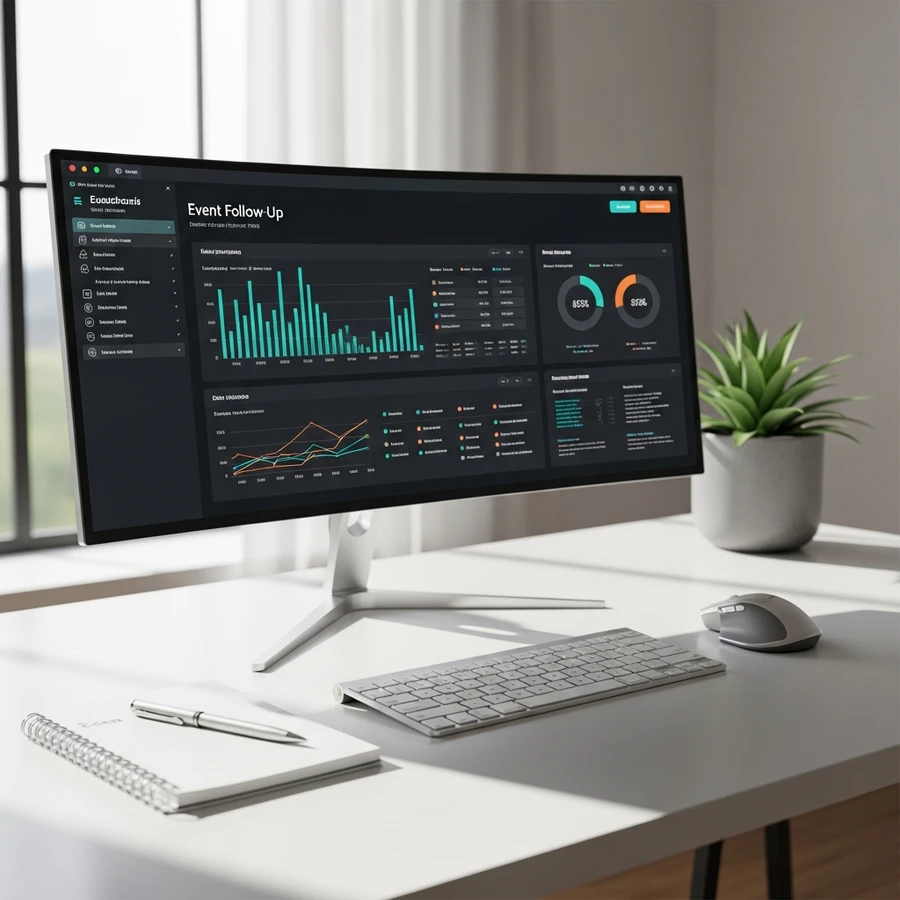
You just closed a three-day exhibition in Dubai. 487 leads collected. Your sales team is drowning in business cards and spreadsheet chaos. By day five, 60% of those leads have gone cold. This isn't a follow-up problem—it's a systems problem.
Event follow-up tools transform raw attendee data into revenue pipelines. The difference between CRM vs marketing automation determines whether your post-event strategy converts or collapses. In the Middle East's hyper-competitive B2B landscape—where exhibitions in Abu Dhabi and product launches in Riyadh demand immediate ROI—your follow-up infrastructure is your competitive edge.
This guide dissects the architecture of modern event follow-up systems. You'll understand which tools handle what, how to structure handoffs between marketing and sales, and why regional nuances in the UAE and KSA demand specific configurations.
What Are Event Follow-Up Tools and Why Do They Matter for B2B Events?
Event follow-up tools are software platforms that automate, track, and optimize post-event engagement with leads. They bridge the gap between initial contact and closed deals by managing email sequences, lead scoring, pipeline progression, and cross-team handoffs. Without them, your event investment evaporates within 72 hours.
The Cost of Manual Follow-Up
Manual follow-up fails at scale. A 300-person seminar in Dubai generates hundreds of contacts. Your team manually sends emails, logs calls in spreadsheets, and loses context across touchpoints. Response rates drop to 8-12% because timing is inconsistent and messaging is generic.
Automated systems respond within minutes. They segment leads by behavior—who downloaded the product sheet, who attended the breakout session, who asked about pricing. HubSpot data shows automated follow-up emails sent within one hour generate 7x higher conversion rates than those sent after 24 hours.
The Revenue Impact
Events are expensive. A two-day conference at a Dubai business hub costs AED 180,000-300,000 when you factor in venue, catering, and production. If your follow-up system converts 15% of leads instead of 5%, that's the difference between a 3x ROI and breaking even.
Pro Tip: Flaash Expert Insight: Corporate events in the UAE see 40% higher lead-to-opportunity conversion when follow-up sequences launch within 90 minutes of badge scans.
What Is the Difference Between CRM for Event Follow-Up and Marketing Automation?
CRM platforms manage individual relationships and sales pipelines. Marketing automation platforms execute multi-touch campaigns at scale. CRMs track deals; marketing automation nurtures leads until they're sales-ready. The confusion costs companies millions in misaligned handoffs. Understanding CRM vs marketing automation is critical for event sales follow up success.
CRM: The Deal Engine
A CRM for event follow up like Salesforce or Microsoft Dynamics stores contact records, tracks deal stages, and manages sales rep activity. After an event, your team logs leads into the CRM. Sales reps manually follow up, update deal stages from "Contacted" to "Qualified" to "Proposal Sent."
CRMs excel at visibility. Your VP of Sales sees exactly where each lead sits in the pipeline. But CRMs don't send automated nurture sequences. They don't score leads based on email opens or website visits. They're databases with workflow tools, not engagement engines.
Marketing Automation: The Nurture Machine
Marketing automation for events platforms like Marketo, Pardot, or ActiveCampaign execute behavior-triggered campaigns. A lead downloads your case study? They enter a five-email sequence over 14 days. They visit your pricing page three times? They're flagged as high-intent and routed to sales.
Marketing automation handles the "not ready yet" majority. Only 15-20% of event leads are sales-ready immediately. The other 80% need education, trust-building, and time. Automation keeps them warm without burning sales rep hours.
The Integration Imperative
Best-in-class systems integrate both. HubSpot combines CRM and marketing automation in one platform. Salesforce pairs with Pardot. The workflow: Marketing automation nurtures leads, scores them based on engagement, and pushes qualified contacts into the CRM as MQL to SQL conversions. Sales picks up from there.
Pro Tip: Flaash Expert Insight: B2B events in Saudi Arabia require Arabic-language email sequences. Ensure your marketing automation platform supports RTL formatting and localized content libraries.
How Do You Choose the Right Event CRM Tools for Your Organization?
Select event CRM tools based on deal complexity, team size, and integration requirements. Simple pipelines need lightweight CRMs like HubSpot. Complex enterprise sales cycles demand Salesforce or Microsoft Dynamics. Mismatched tools create adoption resistance and data silos.
Deal Complexity and Sales Cycle Length
If your average deal closes in 30 days with three touchpoints, you don't need Salesforce's enterprise architecture. HubSpot or Pipedrive handle straightforward pipelines beautifully. They're intuitive, affordable, and deploy in weeks.
If your deals involve six stakeholders, nine-month cycles, and multi-stage approvals—common in UAE government contracts or KSA infrastructure projects—you need Salesforce or Microsoft Dynamics. These platforms manage complex approval workflows, custom deal stages, and territory-based routing.
Team Size and User Adoption
Small teams (under 20 reps) benefit from simple interfaces. HubSpot requires minimal training. Reps log activities, update deals, and access contact histories without IT support.
Large teams (50+ reps) need governance. Salesforce enforces data hygiene through validation rules, mandatory fields, and role-based permissions. It's harder to learn but scales without breaking.
Integration Ecosystem
Your CRM must connect to your marketing automation platform, event registration software, and reporting dashboards. Salesforce integrates with 3,000+ apps. Microsoft Dynamics syncs natively with Office 365 and Teams—critical for organizations already in the Microsoft ecosystem.
Check API documentation before committing. If your event registration platform (Cvent, Bizzabo) doesn't sync with your CRM, you'll manually import CSVs forever.
What Are the Best Email Automation for Events Strategies?
Effective email automation for events uses segmented sequences triggered by attendee behavior. Pre-event emails drive attendance. Post-event sequences nurture based on engagement level. Generic blast emails achieve 12% open rates; segmented sequences hit 35-40%.









Pre-Event Sequences
Start nurturing two weeks before the event. Send a welcome email with agenda highlights and speaker bios. Three days out, send logistical details—venue address, parking instructions, Wi-Fi codes. For events at Dubai business hubs like DIFC or Business Bay, include traffic advisories and metro directions.
Day-of reminders reduce no-shows by 20%. Use SMS for high-priority attendees. In the UAE, WhatsApp Business API integrations work exceptionally well for last-minute updates.
Post-Event Segmentation
Segment attendees by engagement level within 24 hours:
High Engagement: Attended keynote, visited booth, downloaded resources. Send a personalized email from the sales rep within four hours. Offer a 15-minute discovery call.
Medium Engagement: Attended but minimal interaction. Enter a three-email nurture sequence over 10 days. Share case studies, product demos, and customer testimonials.
Low Engagement: Registered but didn't attend. Send a "Sorry we missed you" email with session recordings and a discount on the next event.
Behavioral Triggers
Advanced automation responds to post-email behavior. If a lead opens your follow-up email and clicks the pricing link, trigger an alert to sales. If they don't open after three days, send a different subject line.
ActiveCampaign and HubSpot excel at this. You build "if/then" logic: "If contact opens Email 1 and clicks link, send Email 2A. If no open after 48 hours, send Email 2B."
Pro Tip: Flaash Expert Insight: Email open rates in the Middle East peak between 9-11 AM local time. Schedule post-event sequences accordingly to maximize engagement.
How Do Lead Nurturing Tools Accelerate Pipeline Velocity?
Lead nurturing tools maintain engagement with prospects not yet ready to buy. They deliver educational content, build trust, and surface buying signals through lead scoring. Companies with mature nurturing programs generate 50% more sales-ready leads at 33% lower cost.
Content Mapping to Buyer Journey
Map content to awareness, consideration, and decision stages. Post-event leads are typically in awareness or early consideration. They know they have a problem but haven't committed to a solution.
Awareness Stage: Send thought leadership—industry reports, trend analyses, webinar recordings. For UAE-based leads, share insights on regional regulations or market dynamics.
Consideration Stage: Share comparison guides, product demos, and case studies. Highlight how your solution addresses their specific pain points.
Decision Stage: Offer free trials, ROI calculators, and implementation timelines. Connect them with customer success teams.
Lead Scoring Models
Assign point values to behaviors. Email opens = 1 point. Link clicks = 3 points. Pricing page visits = 10 points. When a lead hits 50 points, they're flagged as sales-ready.
Marketo and Pardot offer sophisticated scoring. You can weight actions differently based on recency, frequency, and content type. A lead who visits your pricing page three times in one week scores higher than someone who opened five emails over two months.
SLA Handoff Between Marketing and Sales
Define clear SLA handoff criteria. Marketing qualifies leads to MQL status based on engagement and fit. Sales accepts MQLs, works them for 10 days, and either converts to SQL or recycles back to marketing.
Without SLAs, leads fall through cracks. Marketing complains sales doesn't follow up. Sales complains marketing sends junk leads. Document the agreement: "Marketing delivers 100 MQLs per month. Sales contacts within 24 hours and logs outcomes in CRM."
What Is the Role of Post-Event Follow-Up Software in Long-Term Relationship Building?
Post event follow up software transforms one-time attendees into long-term customers by maintaining consistent touchpoints, tracking engagement over months, and identifying re-engagement opportunities. The real ROI comes 6-12 months after the event, not in the first week.
Multi-Touch Attribution
Events rarely close deals immediately. A lead attends your product launch in Riyadh, receives six nurture emails, attends a webinar, downloads a case study, and then requests a demo. Which touchpoint gets credit?
Multi-touch attribution models distribute credit across the journey. Salesforce and HubSpot offer built-in attribution reporting. You see which events generate the most influenced revenue, not just immediate conversions.
This matters for budget allocation. If your Dubai exhibition generates AED 2M in influenced revenue over 12 months, you justify the AED 300K investment—even if only AED 200K closed in the first quarter.
Lifecycle Stage Progression
Track contacts through lifecycle stages: Subscriber → Lead → MQL → SQL → Opportunity → Customer. Post event follow up software automates stage transitions based on behavior.
A lead who attends your seminar enters as "Lead." After engaging with three emails, they become "MQL." Sales qualifies them to "SQL." They enter the pipeline as "Opportunity." This progression is visible in real-time dashboards.
Re-Engagement Campaigns
Leads go cold. Someone engaged heavily for two weeks, then disappeared. Re-engagement campaigns win them back. Send a "We noticed you've been quiet" email with a new offer—an exclusive webinar, a limited-time discount, or early access to a new product.
ActiveCampaign and HubSpot automate this. If a contact hasn't opened an email in 60 days, they enter a re-engagement sequence. If they still don't engage after three attempts, they're marked inactive and removed from regular sends to protect deliverability.
How Do Event Sales Follow-Up Systems Integrate with Broader Revenue Operations?
Event sales follow up systems must integrate with CRM, marketing automation, and analytics platforms to provide unified visibility into pipeline health and revenue attribution. Siloed tools create blind spots that cost deals.
Unified Data Architecture
Your event registration platform captures attendee data. That data flows into your marketing automation platform, which scores and nurtures leads. Qualified leads sync to your CRM, where sales manages the pipeline. Closed deals feed into your analytics dashboard for attribution reporting.
This requires API integrations or middleware like Zapier. Salesforce and HubSpot offer native integrations with major event platforms like Cvent and Bizzabo. Microsoft Dynamics syncs seamlessly with Microsoft's event tools.
Reporting Dashboards and Pipeline Visibility
Build reporting dashboards that show event ROI in real-time. Track metrics like:
Leads generated per event
MQL conversion rate
SQL conversion rate
Average deal size from event leads
Time to close
Total influenced revenue
HubSpot dashboards are intuitive and customizable. Salesforce requires more setup but offers deeper drill-downs. You can filter by event type, region, or sales rep to identify what's working.
Sequence vs Workflow Logic
Understand the difference between sequence vs workflow. Sequences are linear, one-to-one email chains sent from a sales rep's inbox. Workflows are automated, branching campaigns sent from the marketing platform.
Use sequences for high-value, personalized outreach after events like board meetings or executive dinners. Use workflows for scalable nurture campaigns after large exhibitions or conferences.
What Are the Common Pitfalls When Implementing Event Follow-Up Tools?
Common pitfalls include poor data hygiene, misaligned sales and marketing SLAs, and over-automation that feels robotic. These mistakes destroy trust and waste event investments.
Data Hygiene Failures
Garbage in, garbage out. If your event registration form allows free-text job titles, you'll have "CEO," "Chief Executive Officer," "Founder," and "Owner" as separate entries. Your segmentation breaks.
Enforce contact properties standards. Use dropdown menus for job titles, industries, and company sizes. Validate email addresses at registration. Deduplicate records before importing into your CRM.
Misaligned SLAs
Marketing generates 200 event leads. Sales follows up with 40. The other 160 sit untouched. Marketing blames sales for laziness. Sales blames marketing for low-quality leads.
Fix this with documented SLAs. Marketing commits to delivering leads that meet specific criteria—job title, company size, engagement level. Sales commits to contacting within 24 hours and logging outcomes. Both sides review performance monthly.
Over-Automation and Loss of Personalization
Automation is powerful but can feel robotic. A lead receives five emails in seven days, all generic. They unsubscribe.
Balance automation with personalization. Use deal stages and pipelines to trigger relevant content. Reference the specific event they attended. Mention the session they joined. Use dynamic fields to insert their company name and industry.
For high-value leads from exclusive events—like awards dinners or VIP networking sessions—skip automation entirely. Have the sales rep send a personal video message or handwritten note.
Your event follow-up system is your revenue engine. The tools you choose, the workflows you build, and the SLAs you enforce determine whether your next exhibition generates pipeline or just business cards. In the Middle East's fast-moving B2B landscape, speed and precision win. Automate the repetitive. Personalize the critical. Measure everything.
If you're planning corporate events in the UAE—from exhibitions to product launches—your follow-up infrastructure must be ready before the first attendee registers. The difference between a 5% conversion rate and a 20% conversion rate is rarely the event itself. It's what happens in the 72 hours after.
Further Reading:
FAQ: event follow up tools
What are the best tools for corporate event follow-up?
The most effective event follow-up tools include HubSpot, Mailchimp, and Cvent due to their robust automation and CRM integration capabilities. These platforms streamline communication and help nurture leads effectively after corporate gatherings. Selecting the right software ensures you maintain engagement and maximize the return on investment from your business functions.
Why is post-event engagement software important for businesses?
Post-event engagement software is essential for converting attendees into qualified leads and gathering actionable feedback. Effective communication tools ensure you maintain momentum after a conference or seminar, solidifying business relationships. Neglecting this step often results in lost opportunities and a lower return on your overall event investment.
How can I automate emails after a business conference?
Automating post-event emails requires using marketing platforms like ActiveCampaign or Salesforce to create workflows triggered by attendance data. These tools allow you to schedule personalized thank-you notes and resource sharing immediately after the function ends. Automation ensures timely engagement without requiring manual input for every delegate.
Which software is best for gathering post-event feedback?
SurveyMonkey and Typeform are widely regarded as the top software choices for creating engaging post-event surveys. These tools integrate seamlessly with event management platforms to capture attendee satisfaction and logistical feedback. Gathering specific data points helps organizers improve future corporate events and validate venue choices.
How do follow-up tools help measure event ROI?
Follow-up tools measure ROI by tracking lead conversion rates and customer acquisition costs directly linked to your attendee lists. Advanced analytics platforms visualize how specific post-event interactions contribute to your sales pipeline. This data proves the financial value of hosting corporate meetings or industry summits.
When is the right time to use follow-up tools after an event?
The optimal time to deploy follow-up tools is within 24 hours while the experience is still fresh in the attendees' minds. Prompt communication increases open rates and engagement significantly compared to delayed outreach. Quick responses demonstrate professionalism and reinforce the value delivered during the corporate event.



Recent Posts
Load More Blogs